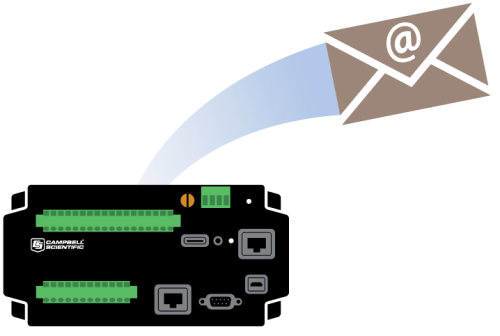
Have you had problems finding an SMTP server to use to send emails from your data logger? Are compatibility issues causing you to look for a work-around? Keep reading for a solution that may be just what you need.
Some Background
In 2006, we added the ability in our operating systems for IP-enabled data loggers to send emails using a function called EmailSend() This function opened up a whole new world, giving our data loggers the ability to issue notifications about the status of a station, transfer data files as attachments, or alert someone about an alarm condition.
Over the years we have found that users often have a problem with finding an SMTP server to use. Many customers rely on publicly available free services such as Gmail or Yahoo, but increasingly, these services have added restrictions that prohibit data loggers from sending emails. Sometimes the fix requires digging through settings to change in the free account, sometimes the fix requires bribing the "IT guy" to make network changes, and sometimes, it can’t be fixed at all.
Our Solution: EmailRelay() Function
To provide a better experience for customers who need to send emails from their data loggers, we introduced the EmailRelay() function with the following data logger operating systems:
In its simplest form, EmailRelay() has only four parameters:
EmailRelay (ToAddr,Subject,Message,ServerResponse)
The function has additional parameters that let you send attachments or send data directly from a data table, without first writing the data to a file. (We refer to this as “streaming.”)
With EmailRelay() you can send up to 100 emails each day, and each message can be up to 1 M in size (size includes the message overhead, the message itself, and any attachments). The message count is reset on a daily basis.
Tip: When creating and testing a program using EmailRelay(), make sure to use a manual trigger to run the EmailRelay() function, and to set that trigger back to False after execution of the function. This ensures you won’t exceed the daily email limit during the first test run of your program.
Example Program
Here's a quick test program to get you started. Just change the constant ToAddr to send an email from your data logger to yourself.
'declare program variables and constants Const ToAddr="YourEmail@yourcompany.com" Const Subject="Email Message Test" Const CRLF = CHR(13)+CHR(10) Public Batt Public AlarmTrigger As Boolean Public Message As String * 250 Public EmailSuccess Public ServerResponse As String * 50 BeginProg Scan (1,Sec,3,0) Battery (Batt) NextScan SlowSequence Scan(1,sec,1,0) 'Set Alarm Trigger Manually If AlarmTrigger Then Message = "Hello!" + CRLF + CRLF Message = Message + "This is an automatic email message from your friendly datalogger named " + Status.StationName + ". " Message = Message + "An alarm condition has been triggered. " Message = Message + "The battery voltage is " + Batt + " volts." + CRLF + CRLF + CRLF Message = Message + "Datalogger time is " + Status.Timestamp EmailSuccess=EmailRelay (ToAddr,Subject,Message,ServerResponse) AlarmTrigger=False EndIf Erase (Message)'Erase the message after sending NextScan EndProg
Tip: Run EmailRelay() in a SlowSequence, as shown above, to avoid the delay of critical measurements and other important tasks executed in the main scan.
The From Address of the email sent by the data logger is emailrelay@konectgds.com. Konect GDS is Campbell Scientific's cloud-hosted data collection platform. It is also where the Campbell Scientific email server is hosted.
EmailSend() versus EmailRelay()
EmailSend() is still included in the data logger operating systems. If you are already using the EmailSend() function and it works well for you, there is no need to change. However, if you have struggled with compatibility with your existing SMTP server, give this new function a try. We hope you will find it easier to use.
If you have comments about this new function in the data logger operating systems, leave us a note below!
Related Articles
Sending Email from Your Data Logger Just Got Easier!
Learn about a solution to SMTP server compatibility issues when sending emails from your datalogger.
January 25, 2017
Sending Email from Your Data Logger Just Got Easier!
Learn about a solution to SMTP server compatibility issues when sending emails from your datalogger.
January 25, 2017
Sending Email from Your Data Logger Just Got Easier!
Learn about a solution to SMTP server compatibility issues when sending emails from your datalogger.
January 25, 2017
Sending Email from Your Data Logger Just Got Easier!
Learn about a solution to SMTP server compatibility issues when sending emails from your datalogger.
January 25, 2017