Hydro-Link
Hydro-Link
OrderableHydromet Datalogger Interface Tool
Overview
Hydro-Link™ is a free, simple-to-use interface for system configuration and performing site-service activities on your Campbell Scientific CR300 or CR310 datalogger.
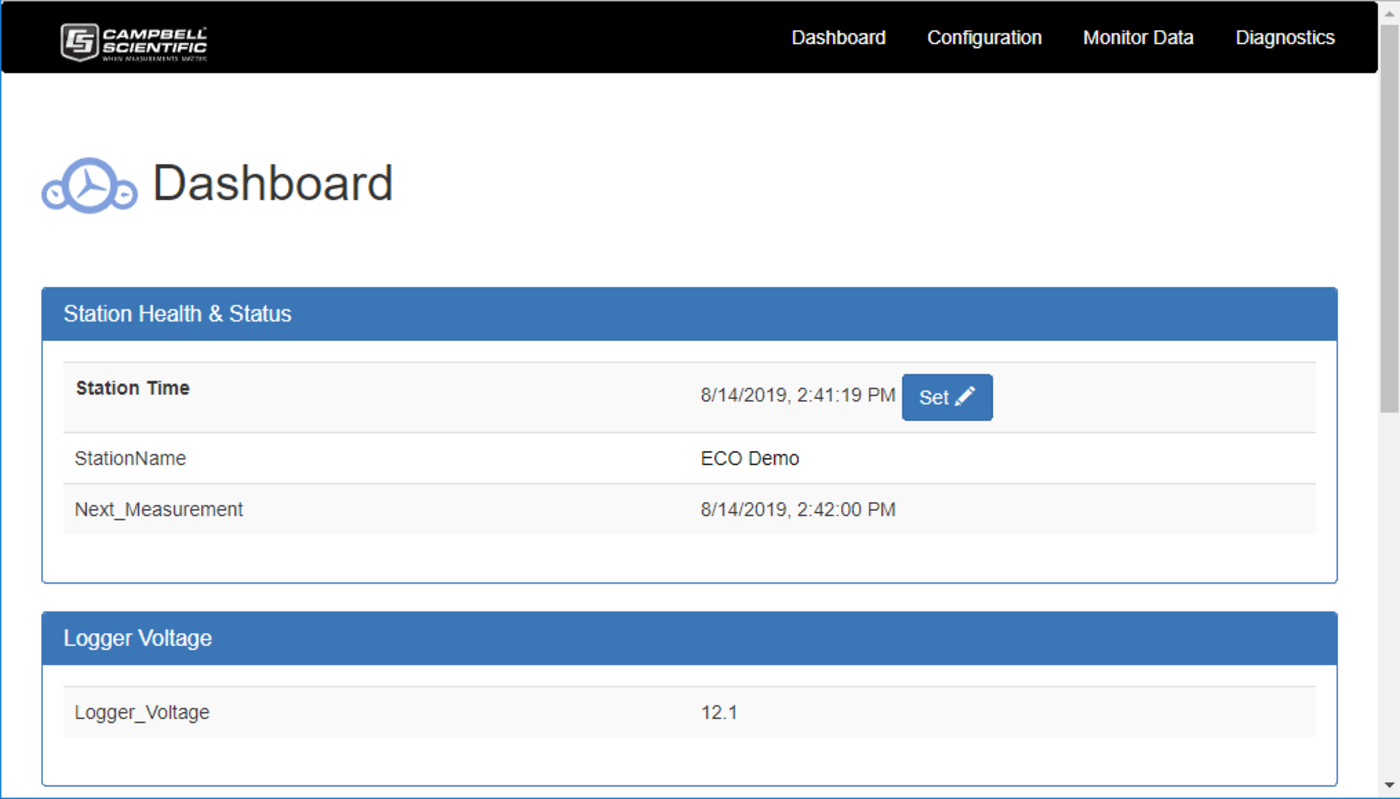
The Hydro-Link interface provides a straightforward way to configure the data logger using simple and familiar menu selections. After the configuration options are complete, applying them to the data logger automatically creates the CRBASIC program to run the defined application. Also, based on the menu selections, a custom dashboard for the application is generated to aid the user in site-service activities.
This tool has been developed to meet the needs of the water market, yet it is easily used in many other applications. The interface allows easy setup of the various components of the station, including the data logger, sensors, and communication devices. In addition, Hydro-Link is used to set alarm conditions and specify the action to take when an alarm occurs.
Key Advantages
Offers point-and-click simplicity
Technical Description
Connectivity
Hydro-Link is easily used with a PC directly connected to a data logger. The Hydro-Link interface can also connect wirelessly with data loggers equipped with the Wi-Fi option. When using Wi-Fi connectivity, smartphones and tablets can also be used to run the interface. Data loggers with IP connectivity (such as the CR310) can also host the interface directly.
Sensor Options
The sensor library has been reduced when compared to other related products to limit the chance of selecting the wrong sensor. Yet, with the generic sensor options, virtually all sensor types can be used with Hydro-Link. This includes analog sensors, digital sensors, and smart SDI-12 sensors.
Communications
The interface supports GOES, Iridium, and cellular communication options:
- For GOES, both scheduled (Self Timed) and random transmissions are supported. Diagnostic information is also provided for the GOES radio, including the GPS section.
- For Iridium, the SBD (Short Burst Data) mode is supported, providing easy transfer of data from the site to the office. An advantage of this over GOES is the ability to send data at the same time it is collected—without the need to wait for an hourly assigned time.
- For cellular, several options can be used, including automatic pushing or pulling of data. The unit can also be set to wait for user requests over the cellular connection. When you use the internal cellular option, it is possible to also use a GOES or Iridium communication option for redundant communication paths.
Benefits
- Dashboard shows live readings from the sensors for real-time data
- Easily change measurement offsets, etc., without changing the program
- Automatic offset generation tools
- Added tools for in-service rain gage testing and verification
- Flexible data presentation tools—from data tables to graphs
- Simple and familiar data download options
- Direct connect using the USB port to a CR300-series datalogger
- Direct connect using the Ethernet port on the CR310 datalogger
- Connect remotely to a CR310 datalogger that is connected to the Ethernet
- Same interface to run smartphones on Wi-Fi-enabled data logger
Specifications
- Current Version
- 2.02
- Operating System
- Windows 11 and 10
(Only 64-bit operating systems are supported.)
Related Resources
Documents
Videos and Tutorials
Hydro-Link Part 4: Using the Dashboard
November 2, 2018 (8:04)
Part 4 of a six-part series on using the Campbell Scientific Hydro-Link software
Watch
Hydro-Link Part 1: Overview
November 2, 2018 (2:47)
Part 1 of a six-part series on using the Campbell Scientific Hydro-Link software
Watch
Hydro-Link Part 3: Communications
November 2, 2018 (6:58)
Part 3 of a six-part series on using the Campbell Scientific Hydro-Link software
Watch
Hydro-Link Part 5: Data Retrieval
November 2, 2018 (4:04)
Part 5 of a six-part series on using the Campbell Scientific Hydro-Link software
Watch- View all videos and tutorials