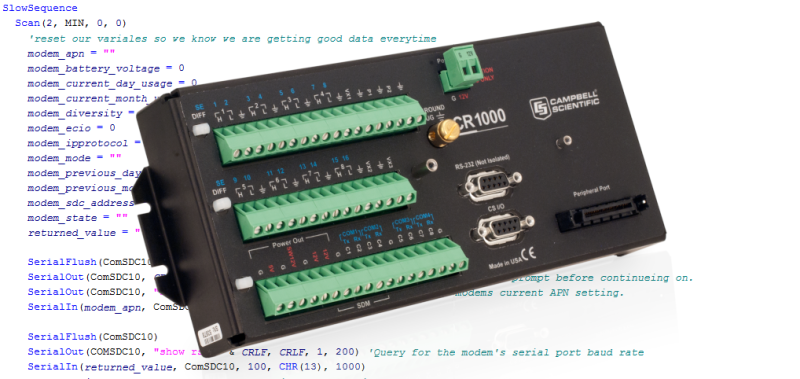
In this blog article, we’ll look at how to monitor your data usage using serial commands with our external CELL2XX series of cellular modules using the CR800, CR850, CR1000, and CR3000 dataloggers. (If you have a CR300, CR310, CR6, or CR1000X datalogger, you'll want to read the first blog article in this series.)
Background
The CR800, CR850, CR1000, and CR3000 dataloggers can retrieve cellular data usage information from the external CELL2XX series of Campbell Scientific cellular modules. You can use this data in your data logger programs to turn off interfaces and perform a variety of functions.
Steps for Control and Display of Variables
To start monitoring your data usage, follow the five-step process outlined below.
#1 - Declare variables and set units
To start monitoring your data usage with CRBasic code, first declare your variable(s) and assign units to the variable(s). In my example below, I am using “modem_current_day_usage,” “modem_current_month_usage,” "modem_previous_day_usage,” and “modem_previous_month_usage.”
Public modem_current_day_usage As Long 'Today data usage statistics Public modem_current_month_usage As Long 'Current month's data usage Public modem_previous_day_usage As Long 'Previous day's data usage Public modem_previous_month_usage As Long 'Previous month's data usage Units modem_current_day_usage = kB Units modem_previous_day_usage = kB Units modem_current_month_usage = kB Units modem_previous_month_usage = kB
#2 - Create a DataTable
If you want to store the usage information in a DataTable, create a new DataTable or add the values to an existing DataTable. Options are included for current day's usage, previous day's usage, current month's usage, and previous month’s usage:
DataTable(CELL_DIAGNOSTICS, TRUE, 10) DataInterval (0,15,Sec,10) Sample(1, modem_current_day_usage, IEEE4) Sample(1, modem_previous_day_usage, IEEE4) Sample(1, modem_current_month_usage, IEEE4) Sample(1, modem_previous_month_usage, IEEE4) EndTable
#3 - Set your declared variable(s)
Within your Scan() sequence, ensure that you reset your variables every time so you know you are getting good data. Using your variable(s) you can run their values against conditional statements to program your logger’s behavior.
SlowSequence Scan(2, MIN, 0, 0) modem_current_day_usage = 0 modem_current_month_usage = 0 modem_previous_day_usage = 0 modem_previous_month_usage = 0
#4 - Retrieve your values from the modem
To retrieve your values from the modem, follow these steps:
- Start with a SerialFlush() instruction to clean things out.
- Use a SerialOut() instruction to signal to the CELL2XX module that you want it to return the specified serial value.
- Immediately after, use a SerialIn() instruction to receive the returned value from the modem.
Each group of serial instructions sends a different request to the modem. The examples below use “show usage today” for today’s cellular usage, “show usage yesterday” for yesterday’s cellular usage, “show usage month” for the current month’s cellular usage, and “show usage lastmonth” to show the previous month’s cellular usage.
'Query for today's cellular data usage SerialFlush(ComSDC11) SerialOut(ComSDC11, "show usage today" & CRLF, CRLF, 1, 200) SerialIn(returned_value, ComSDC11, 100, CHR(13), 1000) modem_current_day_usage = returned_value 'Query for yesterday's cellular data usage SerialFlush(ComSDC11) SerialOut(ComSDC11, "show usage yesterday" & CRLF, CRLF, 1, 200) SerialIn(returned_value, ComSDC11, 100, CHR(13), 1000) modem_previous_day_usage = returned_value 'Query for this month's cellular data usage SerialFlush(ComSDC11) SerialOut(ComSDC11, "show usage month" & CRLF, CRLF, 1, 200) SerialIn(returned_value, ComSDC11, 100, CHR(13), 1000) modem_current_month_usage = returned_value 'Query for last month's cellular data usage SerialFlush(ComSDC11) SerialOut(ComSDC11, "show usage lastmonth" & CRLF, CRLF, 1, 200) SerialIn(returned_value, ComSDC11, 100, CHR(13), 1000) modem_previous_month_usage = returned_value
#5 - Write your values to a table
If you are recording your data to a table, ensure you are writing your values using the CallTable() instruction. To avoid interrupting the reading of our other sensors during normal program operation, I placed my CallTable() instruction in a SlowSequence. (This is more relevant if you are using a larger number of commands than what we are using in this example and may not be necessary for your situation.) Be sure to use the CallTable() instruction if you are recording the values.
CallTable CELL_DIAGNOSTICS
Final Program Example
When you have completed the steps, your program should look similar to this:
'CR1000 Series Datalogger 'Declare Variables Public modem_current_day_usage As Long 'Today data usage statistics Public modem_current_month_usage As Long 'Current month's data usage Public modem_previous_day_usage As Long 'Previous day's data usage Public modem_previous_month_usage As Long 'Previous month's data usage Public returned_value As String * 70 'Temp string for returned modem values Public PTemp, Batt_volt Const CRLF== CHR(13)+CHR(10) Units modem_current_day_usage = kB Units modem_previous_day_usage = kB Units modem_current_month_usage = kB Units modem_previous_month_usage = kB 'Define Data Tables. DataTable (VoltTemp,1,-1) 'Set table size to # of records, or -1 to autoallocate. DataInterval (0,15,Sec,10) Minimum (1,Batt_volt,FP2,False,False) Sample (1,PTemp,FP2) EndTable DataTable(CELL_DIAGNOSTICS, TRUE, 10) DataInterval (0,10,Min,10) Sample(1, modem_current_day_usage, IEEE4) Sample(1, modem_previous_day_usage, IEEE4) Sample(1, modem_current_month_usage, IEEE4) Sample(1, modem_previous_month_usage, IEEE4) EndTable 'Main Program BeginProg Scan (1,Sec,0,0) PanelTemp (PTemp,60) Battery (Batt_volt) 'Enter other measurement instructions 'Call Output Tables 'Example: CallTable VoltTemp NextScan SlowSequence Scan(2, MIN, 0, 0) modem_current_day_usage = 0 modem_current_month_usage = 0 modem_previous_day_usage = 0 modem_previous_month_usage = 0 SerialOpen (ComSDC11,115200,0,0,50) 'Query for today's cellular data usage SerialFlush(ComSDC11) SerialOut(ComSDC11, "show usage today" & CRLF, CRLF, 1, 200) SerialIn(returned_value, ComSDC11, 100, CHR(13), 1000) modem_current_day_usage = returned_value 'Query for yesterday's cellular data usage SerialFlush(ComSDC11) SerialOut(ComSDC11, "show usage yesterday" & CRLF, CRLF, 1, 200) SerialIn(returned_value, ComSDC11, 100, CHR(13), 1000) modem_previous_day_usage = returned_value 'Query for this month's cellular data usage SerialFlush(ComSDC11) SerialOut(ComSDC11, "show usage month" & CRLF, CRLF, 1, 200) SerialIn(returned_value, ComSDC11, 100, CHR(13), 1000) modem_current_month_usage = returned_value 'Query for last month's cellular data usage SerialFlush(ComSDC11) SerialOut(ComSDC11, "show usage lastmonth" & CRLF, CRLF, 1, 200) SerialIn(returned_value, ComSDC11, 100, CHR(13), 1000) modem_previous_month_usage = returned_value CallTable CELL_DIAGNOSTICS NextScan EndProg
More Values You Can Use
Additional cellular modem values are available that you can use. A short list is below:
modem_apn 'Current Access Point Name modem_battery_voltage 'Modem's current battery voltage modem_current_day_usage 'Today data usage statistics modem_current_month_usage 'Current month's data usage modem_diversity 'Current setting for Diversity Antenna modem_ecio 'Current ECIO value (3G signal quality) modem_ipprotocol 'Current IP Protocol setting (IPv4, IPv6, or IPv4/IPv6) modem_mode 'Current modem mode (PPP or Serial Server) modem_previous_day_usage 'Previous day's data usage modem_previous_month_usage 'Previous month's data usage modem_rsrp 'Current modem RSRP value (LTE signal Strength) modem_rsrq 'Current modem RSRQ value (LTE signal Quality) modem_rssi 'Current modem RSSI value (3G signal strength) modem_sdc_address 'Modem's current SDC address (CS I/O Port SDC Address setting) *Default is SDC11 modem_state 'Current state of the modem (status) modem_is_off modem_reset_needed
You can download the CELL2XX Settings example program that uses these values.
Conclusion
You can monitor and program control functions into your data logger based upon data usage and other values associated with Campbell Scientific's internal and external cellular modems. Options available include: "show usage today," "show usage yesterday," "show usage month," and "show usage lastmonth."
Credits: All my code examples are derived from code created by Gary Roberts, Product Manager over communications and software products at Campbell Scientific, Inc.
I hope you found this program example helpful. Try using the code to monitor your data usage, and post a comment below about your experience. Also, please post any questions you may have.
Related Articles
Why should you use a data logger as an RTU in your SCADA system?
October 21, 2024
Why should you use a data logger as an RTU in your SCADA system?
October 21, 2024
Why should you use a data logger as an RTU in your SCADA system?
October 21, 2024
Why should you use a data logger as an RTU in your SCADA system?
October 21, 2024