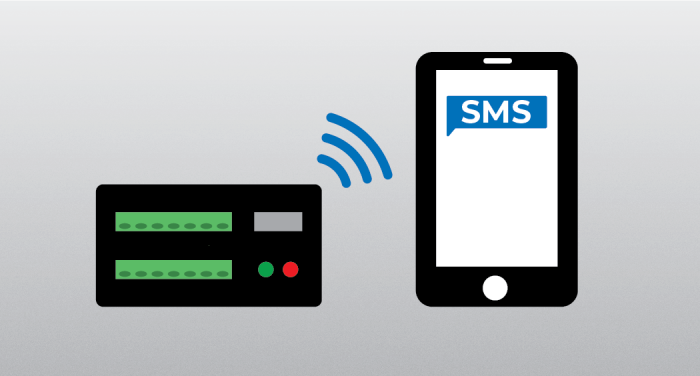
Do you currently use SMSSend() in a CRBasic data logger program to send SMS messages through a Campbell Scientific CELL2XX internal or external cellular module? There are some things you should know about the recent improvements we made that affect how SMSSend() works.
With the release of CR300 version 10.3, CR1000X version 5, and CR6 version 11 operating systems, we made improvements so that you can use SMSSend() to send messages more efficiently to multiple recipients or multiple messages to a single recipient. These improvements, however, require a change to existing CRBasic programs that use SMSSend(). If you are using SMSSend() in your data logger program and plan to install this latest operating system, continue reading to learn the benefits of these changes and how to modify your program to accommodate them.
You may have noticed this warning in the revision history for the CR300, CR1000X, and CR6 operating systems:
Updated SMSSend() to handle arrays. Upgrading to this OS will require CRBasic programs running old instances of SMSSend() to be updated.
What changed with SMSSend()?
SMSSend() used to be a function. Now it is an instruction that supports arrays. In CRBasic programming, there are subtle differences in how instructions and functions can be used in a program. For example, a function can be used as a parameter within an instruction, but an instruction cannot be used as a parameter within another instruction. The most common functions in CRBasic are math functions such as LOG() or ASIN().
Why did SMSSend() change?
The change was made to SMSSend() so that the data logger can send messages to multiple recipients (or multiple messages to the same recipient), using a single execution of the instruction. To better understand the reason for the change, I can explain what happens when SMSSend() is executed.
The cellular module must be put in a different mode to send an SMS message. This takes time and can be disruptive to IP communications. With the previous version of SMSSend(), if multiple messages were sent over a short period, the module would be put in and out of this mode with each message sent. SMS messages could get backed up, and the cellular module might not be able to keep up with demand.
With the new format for SMSSend(), multiple recipients and multiple messages are defined using arrays in a single instruction. The cellular module is put into its special mode only once, all messages are sent, and then it is returned to normal operation. This change can significantly improve the speed of sending messages.
What program changes are required?
Let’s take a look at the format of the previous SMSSend() function and the new SMSSend() instruction using snippets of code.
The previous version of SMSSend() had only two parameters:
- A phone number
- A message string
To monitor success or failure, you returned the results to a variable.
Public SMSResultCode, PhoneNumber, SMSMessage ‘declare variables for the function SMSResultCode = SMSSend (PhoneNumber, SMSMessage) ‘SMSResultCode holds the result of the function
The new SMSSend() instruction has four parameters:
- A result code variable
- A swath to indicate the number of recipients/messages to be sent
- A phone number string array
- A message string array (where the number of elements in the arrays are equal to the swath)
Public SMSResultCode, PhoneNumber, SMSMessage ‘declare variables for the instruction SMSSend (SMSResultCode, Swath, PhoneNumber, SMSMessage) ‘SMSResultCode is now a variable within the instruction
If you want to see this instruction used in a data logger program, check out the SMSSend() example program in the CRBasic online help:
What considerations should you be aware of?
There are a couple of things to consider when using the updated SMSSend() instruction:
- If you plan to use the new SMSSend() instruction with an external cellular module, you will also need an updated operating system running in the CELL2XX (any OS version 2.028 or greater).
- At this time, we do not anticipate incorporating this change into operating systems for older data loggers, such as the CR1000, CR800 series, or CR3000.
The SMSSend() instruction is a great way to send alerts via SMS messages, and even to transfer data in instances where other data collection methods are unavailable. Are you using SMSSend() in your application? If so, let us know in the comments below!